Draw precise vector graphics in your browser.
CAD-style dimensions and constraints, editable image tracing, and clean SVG output you can use anywhere. Free to start, and no account needed to draw.
No account needed to try. Open the anonymous scratchpad and start drawing, or read the guide.
Four reasons to build in Anchorsmith
The precision of a CAD workspace, the speed of the web, and files that belong to you.
Exact dimensions & constraints
Pin geometric relationships like parallel, perpendicular, and equal length. Type a driving dimension and the sketch solves automatically.
Editable image tracing
Turn raster sketches and logos into clean, editable vector paths, with auto, ink, and color trace modes and a live preview.
Clean, inspectable SVG
Standards-valid SVG 1.1 markup you can open and read. SVG export is free and never watermarked on any tier.
Instant browser access
No desktop software to install, no account needed to start. Open an anonymous scratchpad in any modern browser and start drawing.
A full vector toolkit in a browser tab
The precision of a desktop design app, and files that belong to the open web.
Precision drawing & node editing
A real bézier pen plus rectangle, ellipse, line, polygon, and text tools. Edit paths anchor by anchor with Direct Selection, including selecting multiple nodes by type.
Import & auto-trace
Drop an SVG and it becomes editable native paths with gradients and fill-rule preserved. Place raster images, or trace them to vector (auto, ink, or color modes; fill, centerline, or brush) with a live preview.
CAD constraints & dimensions
Constrain sketches with coincident, parallel, perpendicular, collinear, equal-length, and angle relations, plus driving dimensions. A solver keeps the geometry exact.
Color, gradients & strokes
A custom HSV/RGB/CMYK color picker with an eyedropper: pick from anywhere on screen in Chrome, or from your canvas (and a shared screen) in Firefox. Linear and radial gradients, and stroke join, cap, and miter controls.
Export anywhere
SVG export is free and never watermarked. Pro unlocks PNG output at exact pixel sizes and true-vector PDF.
Layers, artboards & undo
Organise with a layer tree and multiple artboards. 256 steps of undo, plus manual checkpoints when you sign in. Start on an anonymous scratchpad, no install.
Grab the nodes. The SVG changes with you.
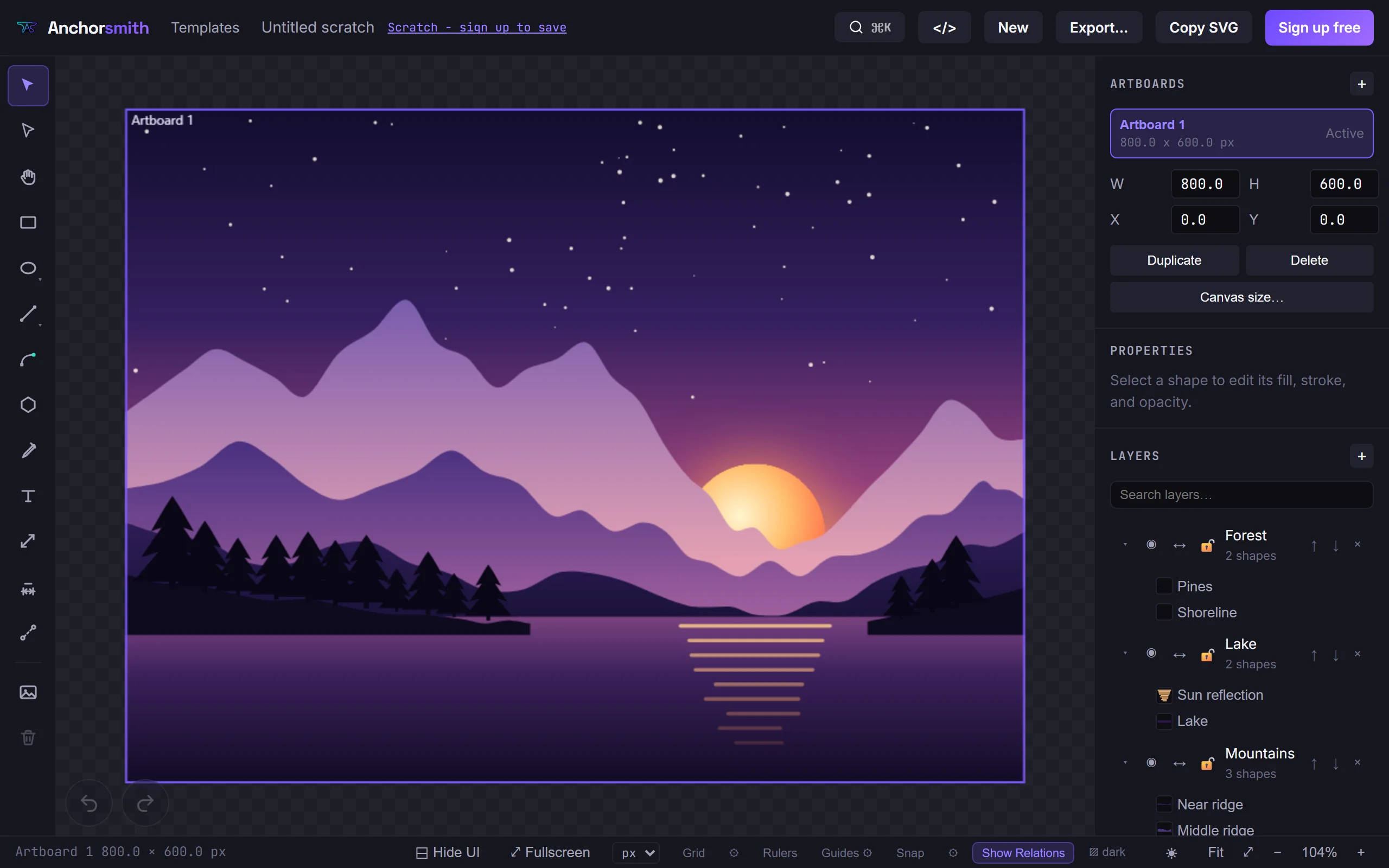
The full editor is the first thing a new visitor sees. Once they scroll, this live detail shows the underlying vector model: move an anchor or handle and the path data updates.
- NODES edit anchors and Bezier handles directly
- SVG inspect the path data as the shape changes
Made for the work you actually do
The same editor, pointed at a specific workflow — with the templates and export notes that workflow needs.
SVG editor for laser cutting
Lay out parts with driving dimensions in millimetres or inches, and export SVG that carries its real physical size.
3D printing2D parametric sketcher for 3D printing
Sketch constrained 2D profiles in a browser tab and export clean paths to extrude in Fusion 360, Blender, or Tinkercad.
Cricut sizing fixwhy your SVG imports at the wrong size in Cricut
The unit-mismatch guide: why a 4-inch box lands at 3 inches in Design Space, and how to export dimensionally accurate files.
Indie game devsvector icon editor for indie game developers
Build 2D UI icons and sprite art as vectors, then export at the exact pixel sizes Unity, Godot, and Unreal expect.
Type a number. The drawing updates.
Add a dimension to a sketch and edit its value: the geometry solves to match. Set exact radii, widths, distances, and angles, and pin relationships like parallel, perpendicular, and equal length so your layout stays true as it changes.
- DRIVING edit the value, the sketch solves to it
- CONTROL choose what moves: the far end, both ends, or the whole shape
- UNITS work in your unit, and type another inline (25mm in a cm document)
Drag a node to reshape the sketch, or hover a flag to see what it holds together.
The canvas and the code stay in sync
Anchorsmith renders on canvas for a fast, WYSIWYG editing experience, then walks the same document model to emit tidy SVG markup. What you see on the artboard is exactly what lands in the file.
- SVG 1.1 attribute-based, defs for gradients
- FIDELITY round-trip-checked against a golden-SVG corpus
<svg viewBox="0 0 480 400"
     xmlns="http://www.w3.org/2000/svg">
  <defs>
    <linearGradient id="ink" x1="0" y1="0"
                    x2="1" y2="1">
      <stop offset="0"  stop-color="#6d4aff"/>
      <stop offset="1"  stop-color="#a06bff"/>
    </linearGradient>
  </defs>
  <path d="M96 250C70 170 150 96 232 118…Z"
        fill="url(#ink)"/>
</svg>New here? Learn the whole editor.
Every tool, shortcut, and feature, with real screenshots and step-by-step workflows. There is even a machine-readable version for AI agents.
Read the tutorialStart free. Upgrade when you ship more.
SVG export is free and never watermarked. Pro unlocks high-res PNG/PDF, the advanced toolset, and unlimited cloud documents.
Free
A real vector editor, no account needed to start.
- Full editor — pen, shapes, path & transform tools
- Export valid SVG anytime — never watermarked
- 1 cloud document, up to 2 layers
- Try instantly — anonymous scratchpad, no signup
- High-res PNG & PDF export
- Advanced boolean & path-effect tools
Pro
Unlimited PNG and PDF exports and the full toolset for working designers.
⚡ Beta Lifetime Discount: Sign up during Beta for 20% off for life while your Pro subscription stays active ($9.60/mo instead of $12.00/mo). Cancelling ends the discount, and re-subscribing later is at the standard price.
- ✓ Everything in Free
- High-res PNG & PDF export
- Advanced boolean & path-effect tools
- Unlimited cloud documents & layers
- Self-serve billing — cancel anytime